


TNA+
3.5600.00 Reviews
App Specs
- Version
- Varies with Device
- Updated On
- License
- Free
- Downloads
- 100,000+
- Developer
- Anthem Sports & Entertainment Inc.
- Categories
- Entertainment
- Platform
- Android
Screenshots
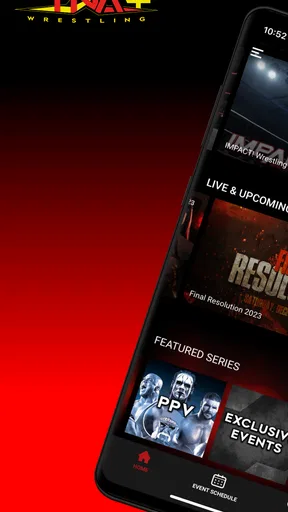
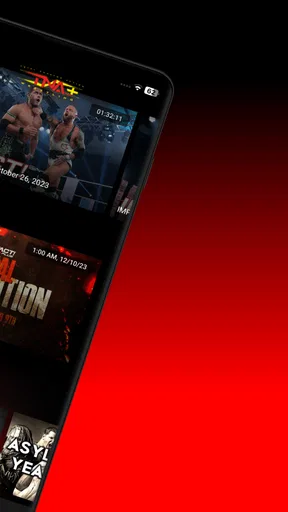
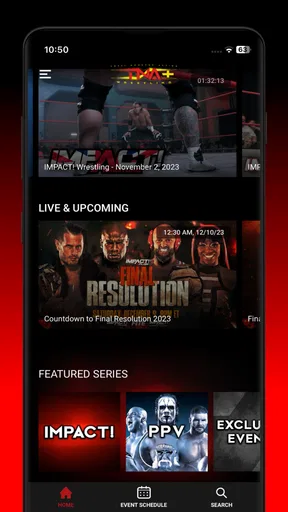
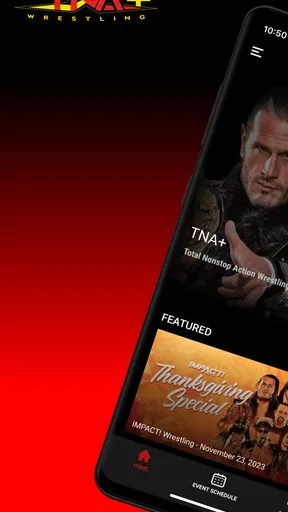
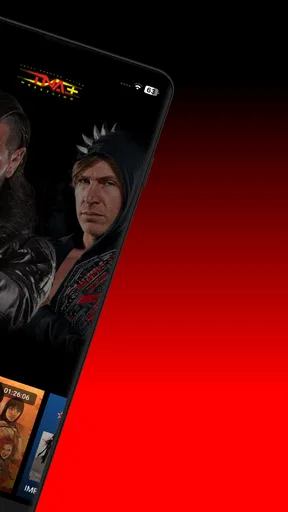
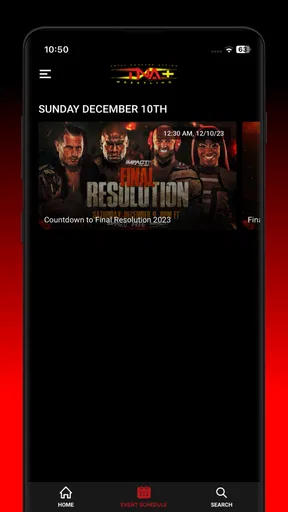
 Analysis by AppCompare
I approached TNA+ as an entertainment app for a very specific moment: I wanted to watch wrestling without first hunting through scattered clips, social posts, and unrelated video services. That starting point matters because this is not a general streaming app with a little wrestling added on the side. It is built around TNA content, and that focus makes the experience either pleasantly direct or unnecessarily narrow, depending on what you usually watch.
The app comes from Anthem Sports & Entertainment Inc. and is free to install, with optional in-app purchases ranging from $7.99 to $219.99 per item. It carries a Teen content rating, so I would treat it as a service for older children, teenagers, and adults rather than a family viewing app for every age. Its store presence shows an average rating of 3.5 from around 2,000 ratings, alongside more than 100,000 installs. Those numbers suggest a real audience, but also a mixed experience that deserves a closer look than the simple promise of unlimited wrestling implies.
From deciding what to watch to settling into a full wrestling session
When I decide what to watch, I find it helps to choose a session length and a familiar starting point before opening the catalog; that keeps browsing from taking over the evening. From there, I can judge whether the app makes it easy to move from a specific match or event into a longer stretch of wrestling.
The starting condition: wanting TNA content without the usual search
My ideal use case begins after a long day, when I know I want wrestling but do not necessarily know which match or show to choose. With ordinary video apps, I might search for a wrestler, browse short clips, or try to work out whether a result is an official upload or a fan-made edit. That process is fine when I want a quick highlight, but it is not a satisfying way to plan a proper viewing session.
TNA+ is more appealing when the goal is to stay inside one wrestling world. Instead of treating wrestling as an occasional search term, the app gives that interest its own destination. I can open it with a particular promotion in mind and spend less time deciding where to look. That is the first meaningful advantage: the app reduces the distance between “I want TNA wrestling” and actually starting something.
That focus is also the first trade-off. If I want a broad selection of wrestling promotions, general sports, films, or television shows, this is not the right replacement for a larger streaming service. Its value depends on how often TNA is already part of my viewing habits. A casual viewer may find the catalog too specialized, while a dedicated fan is more likely to appreciate the narrower purpose.
Opening the app and choosing a sensible route
The practical workflow is straightforward. I install the free app, open it, and use the available content to decide whether the service fits my interests before committing to a purchase. That trial stage is important because the subscription options are not a small detail: the listed in-app purchase range stretches from a relatively modest entry point to a much higher-priced item. I would not pay immediately just because the app promises a large library. I would first check how well its current selection matches the wrestlers, events, and eras I actually want to revisit.
Worth Reading Before You Choose

EA SPORTS FC Mobile 26 Is a Bigger Football Game, but It Takes Time

Flipboard Shows What News Apps Must Do Beyond the Feed

Switching to Android Auto Means Rethinking Your Driving Routine

Google Calendar Makes a Crowded Week Easier to Manage

Ludo King Makes the Most of the Minutes Between Plans

Baby Panda World Brings Quick Play to Modern Phones, but Its Game Library Feels Busy
This is one of the more useful habits with a focused archive app: begin with a viewing goal rather than browsing aimlessly. If I am looking for a particular type of session, I might start with a recent program, then move toward older material only if the organization makes that easy. If I am introducing someone to TNA, I would choose a complete event or a few substantial matches instead of handing them a random clip. The app works best when I arrive with a question such as “What should I watch tonight?” rather than expecting it to create a complete entertainment plan for me.
The Teen rating also affects that decision. Wrestling is not automatically suitable for very young viewers simply because it is presented as entertainment, and I would use the rating as a reminder to choose viewing company and content carefully. For an adult fan or an older teenager who already understands the style of professional wrestling, that is less of a concern. For younger children, I would prefer a service and catalog designed with family viewing in mind.
The step-by-step flow: browse, test, and commit
Once I am inside, the most useful way to evaluate the app is to follow a simple sequence. First, I look for something that can support a full sitting rather than immediately selecting the shortest available video. Second, I check whether the presentation gives me enough context to understand what I am about to watch. Third, I play a sample before deciding whether the overall experience justifies a paid option.
That second step is easy to overlook. A large wrestling archive can be impressive, but quantity alone does not tell me whether I will find the right material quickly. I care about how much effort it takes to move from a broad category to a specific show or match. If I have to repeatedly search, back out, and guess at titles, the promised depth becomes less useful. If the app lets me move naturally from one related piece of content to another, the same library feels much more valuable.
I also recommend testing the app during the kind of session you actually plan to have. A two-minute check on a phone may tell me that playback starts, but it does not answer whether the experience feels comfortable for a longer event. I would test it when I have enough time to watch several segments, especially if my main reason for installing it is access to a deep back catalog. The real test is not whether one video plays; it is whether the whole evening remains easy to manage.
Handoffs between discovery, playback, and payment
The first handoff is from browsing to playback. This is where a focused wrestling app should save me time. I do not want to leave the service to identify what I have found, then return and repeat the process. Keeping discovery and viewing close together makes the app feel like a dedicated home for the promotion rather than a simple collection of disconnected videos.
The next handoff is more sensitive: moving from free access to an in-app purchase. I would treat this as a decision point, not an automatic next step. The free installation lowers the barrier to trying the service, but the possible purchase prices mean I need to understand my own viewing frequency. Someone who watches TNA regularly may see more value in a paid plan or item, while someone who checks in only for occasional nostalgia may be better served by free material or another service that already fits their subscription habits.
There is also a handoff between devices and viewing situations that I would consider before making the app central to my routine. A phone is convenient for a quick match during a commute or break, but a full wrestling event is a different experience from a small screen. If I intend to watch with friends, I would test the setup in advance rather than waiting until the start of an event. That is not a criticism unique to this app; it is a practical distinction between mobile access and a comfortable living-room workflow.
Another useful handoff is between a new viewer and an experienced fan. A longtime TNA follower may recognize names and rivalries immediately, while a newcomer may need more guidance to understand why a particular match matters. I would therefore use the app differently for each person: browse by familiar favorites when watching alone, but choose a more self-contained program when sharing it with someone who does not already know the roster or history.
What the result feels like after a successful session
When the workflow goes well, the result is simple: I spend more time watching wrestling and less time searching for it. That sounds modest, but it is exactly where a specialized service can beat a general alternative. A broad video platform may offer more variety, yet its recommendations are shaped by everything I watch, not only TNA. A free clip platform may be excellent for highlights, but it encourages short, fragmented viewing. TNA+ makes more sense when I want a concentrated session built around one promotion.
I particularly like the idea of using it as a planned archive night. I can choose a theme before opening the app: a particular period, a favorite performer, or a complete event rather than isolated moments. Even when the app does not remove every bit of browsing, that focus helps me avoid the endless loop of watching one short clip and then searching for another. The outcome is closer to putting on a wrestling program than casually scrolling through a feed.
For a regular fan, the service can also become a convenient second destination. I might use a general streaming subscription for most entertainment, then turn to this app when I specifically want TNA. That arrangement is more realistic than expecting one service to replace every other video platform. The app earns its place when its specialty is useful often enough to justify the extra attention and any purchase I choose to make.
Three practical habits that make the app more useful
My first tip is to decide whether I want discovery or completion before browsing. If I have only a few minutes, I look for a short piece of content and avoid opening a full event that I cannot finish. If I have a free evening, I start with a complete program and let related material follow afterward. This prevents the catalog from turning into a source of decision fatigue.
My second tip is to use the free entry point as a compatibility check, not merely as a preview of the wrestling. I would check the app on the device and network where I expect to watch most often, then see whether navigation feels natural with one hand on a phone. That test can reveal more about the service’s fit than a quick glance at its store summary. It also helps me avoid paying for access before I know whether the viewing routine feels comfortable.
My third tip is to separate archive value from live-event urgency. If I want a large amount of wrestling to explore over time, a purchase may make sense only if I will return repeatedly. If I am interested in one particular viewing occasion, I should compare that cost with my existing subscriptions and alternatives before committing. The app’s broad promise is most persuasive for people who will actually use the depth, not for someone who wants one isolated match.
Where the flow breaks: limits that affect the decision
The biggest weakness is specialization. I cannot recommend this as a universal entertainment app because its appeal is tied so closely to TNA. A viewer who follows several promotions may still need other services, and someone who watches wrestling only occasionally may find that a general platform or free official clips are enough. The focused catalog is a strength only when the focus matches the user.
Price is the second point where I would slow down. Free installation is helpful, but the in-app purchase range is wide enough that I would read each option carefully before confirming anything. I would ask myself how many sessions I realistically expect to watch, whether I already pay for another wrestling or sports service, and whether I am buying ongoing access or a single item. That comparison is more useful than judging the app by the lowest listed price alone.
The mixed rating also tells me to keep expectations practical. An average of 3.5 does not make the app unusable, but it does suggest that not every viewer experiences it in the same way. In my view, that is a reason to test the free version and the actual browsing flow on my own device instead of relying only on the promise of a huge library. The app may be a strong match for one fan and an unnecessary download for another.
I would also avoid assuming that a deep catalog automatically means perfect organization. Wrestling libraries can be difficult to navigate because fans may search by event, performer, rivalry, or time period. My preferred route is to begin with a known name or event when possible, then explore outward. If I open the app without any idea what I want, I may spend enough time browsing to lose the mood that brought me there.
Who should use it, and who should skip it
I would recommend TNA+ to a committed TNA fan who wants a dedicated place for extended wrestling sessions, especially someone who values archive access more than a broad mix of entertainment. It also suits viewers who are tired of separating official wrestling material from random online uploads and would rather begin with a service built around the promotion itself.
I would be more cautious for a casual viewer, a household looking for all-purpose family entertainment, or someone who already has a crowded collection of streaming subscriptions. The Teen rating makes me think twice before treating it as children’s programming, and the purchase range makes it worth comparing the service with what I already use. If my main interest is general sports, current news, or several wrestling promotions at once, a broader option may serve me better.
After using the app as a focused wrestling destination, my conclusion is positive but specific. TNA+ is not valuable because every viewer needs another entertainment subscription; it is valuable when a viewer wants TNA to have its own place in the viewing routine. The free installation makes trying it sensible, while the paid options call for a little discipline. I would start with a real viewing goal, test the browsing and playback flow, and only then decide whether the catalog deserves a regular place in my week.
For me, the best outcome is a calmer path from “I want to watch TNA” to actually watching a substantial program. That is a meaningful improvement over scattered searches and endless short clips. Still, I would keep another service for broader entertainment and would not recommend this app blindly to someone who watches wrestling only now and then. Used for its intended purpose, it is a focused tool for fans; judged as a replacement for every other video app, it is much less convincing.
Pros
- Live and on-demand access to TNA wrestling events and shows.
- Includes a replay library for catching up on missed matches.
- Supports viewing across compatible phones
- tablets
- and streaming devices.
- Provides wrestling-focused content without unrelated entertainment categories.
- Useful for fans who want official TNA programming in one place.
Cons
- Availability and content may vary depending on your country or region.
- Some major events or features may require an additional purchase.
- Video quality depends heavily on your internet connection and device.
- The app may offer limited value if you only follow occasional wrestling events.
- Subscription terms and pricing can differ between Android and iOS platforms.
FAQs for TNA+
What is TNA+ and what content can I watch on it?
TNA+ is the official streaming service for Total Nonstop Action Wrestling fans. After testing the app, its main focus is live and on-demand wrestling content, including TNA events, weekly programming, match replays, exclusive shows, and selected archive material. The exact catalog can vary by country and subscription plan, so users should check the current lineup before downloading or subscribing.
Does TNA+ require a paid subscription?
TNA+ offers subscription-based access, and some content may depend on the plan available in your region. A free download does not necessarily mean that the full library or live events are free to watch. Before completing registration, review the displayed pricing, billing frequency, renewal terms, and any promotional offer details, because availability and prices can change over time.
Can I watch TNA+ live, or is it only for replays?
The app is designed for both live and on-demand viewing, although the events available live can depend on your location and subscription level. In my experience, the on-demand section is useful for catching up on recent programming and previous matches, while live streams require a stable internet connection. Some broadcasts may also be subject to regional restrictions.
Which devices support TNA+?
TNA+ is primarily intended for mobile viewing on supported Android and iOS devices, but compatibility can vary according to the operating system version and device model. Depending on the current service setup, users may also be able to watch through a web browser or supported television platforms. Check the official store listing and TNA+ support information before downloading to confirm compatibility.
Is TNA+ worth downloading for wrestling fans?
TNA+ is worth considering if you regularly follow TNA programming and want official access to live events, recent episodes, replays, and wrestling archives in one place. The value depends on how often you watch and whether the available plan includes the content you want. Casual viewers should compare the subscription cost, regional catalog, video quality, and cancellation terms first.


